Why Your Receipt Printer Keeps Jamming — And the Paper Choices That Are Quietly Wrecking Your Hardware
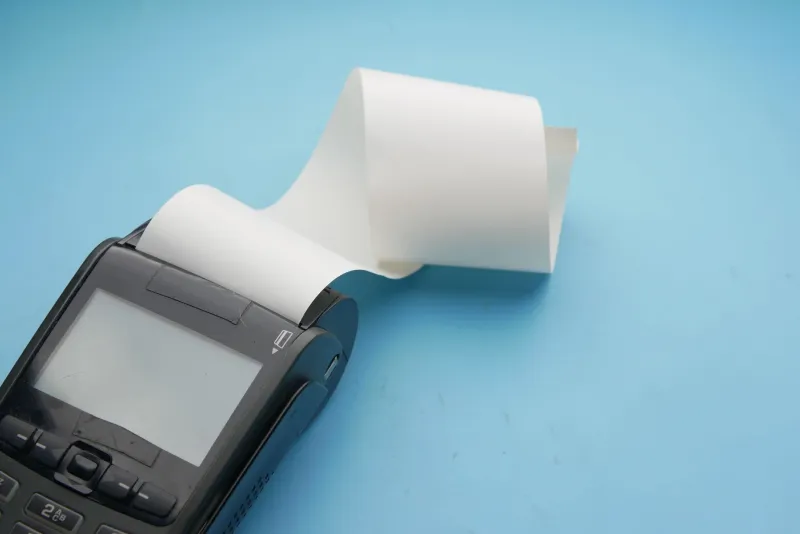
You're in the middle of a Saturday rush, the line is stretching toward the door, and your receipt printer decides to stage a protest. Again. The paper crinkles, the feed mechanism groans, and now someone has to dig into the machine with a pen cap while customers wait. Sound familiar?
Here's the thing most POS equipment guides won't tell you upfront: a huge percentage of receipt printer problems aren't hardware failures at all. They're paper problems. Wrong width, wrong weight, wrong coating — or in some cases, outright counterfeit supplies masquerading as brand-name rolls. Let's break it all down.
The Basics: Why Paper Specs Actually Matter
Receipt printers are precision machines. They're engineered to handle paper within very specific tolerances. When the paper you load doesn't match those specs, the printer doesn't just perform poorly — it can sustain real mechanical damage over time.
Here are the key specs you need to pay attention to:
- Paper width: The most common sizes in the US are 2 1/4", 3 1/8", and 4" wide rolls. Loading a roll that's even slightly wider than your printer's feed path can cause it to bind and jam constantly.
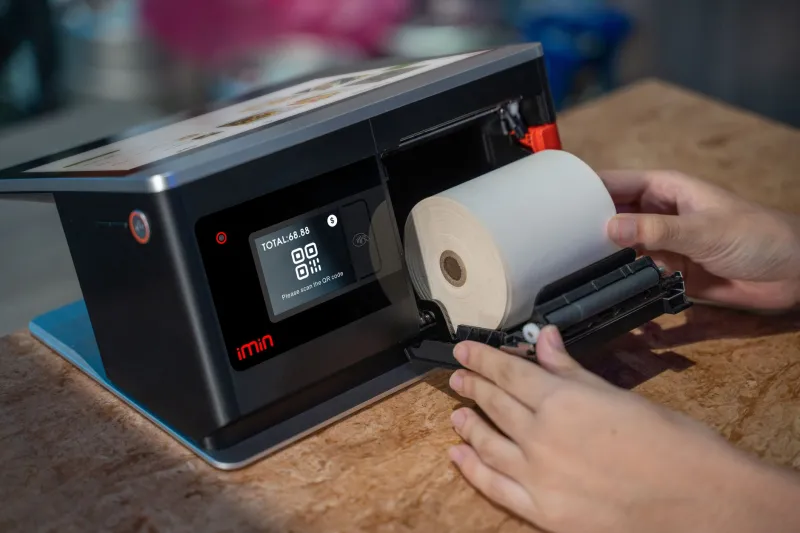
- Roll diameter and core size: Printers have a maximum roll diameter they can accommodate. Overstuffed rolls won't spin freely and can cause feed tension issues. Core size (typically 0.5" or 1") also needs to match.
- Paper thickness (caliper): Measured in millimeters or mils, paper thickness affects how smoothly the roll feeds. Too thin and it tears; too thick and it binds.
- Thermal sensitivity: Different printers apply different levels of heat. Paper rated for low-sensitivity printers can produce faint or blank output in high-heat machines — and vice versa, where over-sensitive paper gets scorched.
None of this is complicated once you know what to look for, but it's easy to overlook when you're just trying to reorder supplies quickly.
The Most Common Paper-Printer Mismatches (And What They Look Like)
1. The Endless Jam If your paper keeps getting stuck mid-feed, the most likely culprits are width inconsistency or a curled roll. Cheap paper is often wound unevenly or stored improperly before it reaches you, causing it to curl at the edges. That curl catches on the feed mechanism and — jam.
2. Blank or Faded Receipts You hear the printer running, a receipt comes out, but it's barely legible or completely blank. This is almost always a thermal sensitivity mismatch. The paper isn't reacting to the heat your printhead produces. Check your printer's spec sheet and make sure the paper you're buying matches the sensitivity rating.
3. Paper Tearing Mid-Print This usually signals that the paper is too thin for your machine's feed tension, or that the paper quality is so inconsistent that it has weak spots. Low-grade paper manufacturing often results in uneven thickness across a roll — something you can't see but your printer absolutely feels.
4. Printhead Wear and Streaking This one's sneaky. Rough or abrasive paper coatings gradually wear down the thermal printhead, which is one of the most expensive components to replace. If you're seeing streaks across your receipts that get worse over time, your paper might be the culprit — not a dying printer.
The Counterfeit Supply Problem
This is the issue that doesn't get nearly enough attention. As receipt paper has become a commodity product ordered online in bulk, a market for counterfeit and misrepresented supplies has grown alongside it. These rolls are labeled with brand names or spec claims they don't actually meet.
Common red flags include:
- Rolls that smell unusually chemical or musty — a sign of poor coating materials or improper storage
- Inconsistent print quality across a single roll — lighter in the middle, darker at the ends
- Paper that turns gray or black when scratched with a fingernail — this means it's over-sensitive and may damage your printhead
- No manufacturer information or lot codes on the packaging
Buying from reputable suppliers — ones who can actually tell you who manufactured the paper and what the specs are — is the single best way to avoid this problem. At Free Receipt Paper, every product listing includes the specs you need to verify compatibility before you buy. That's not an accident; it's how we help businesses avoid exactly these headaches.
Printer-Specific Tips for Popular POS Systems
Different systems have different quirks. Here's a quick reference for some of the most common setups in US retail:
- Epson TM series (T20, T88, etc.): These are workhorses that are fairly forgiving, but they're optimized for 80mm (3 1/8") paper. Using narrower rolls will cause alignment issues. Stick with paper rated 48–65g/m² for best results.
- Star Micronics printers: Star machines are sensitive to roll diameter. Always check the max roll size for your specific model — loading an oversized roll is a very common cause of jams in these units.
- Clover and Square hardware: These integrated POS systems often use proprietary or semi-proprietary paper specs. Generic rolls sometimes work fine, but it's worth double-checking the recommended paper type in the device documentation.
- Older cash register models: Vintage registers — still common in small diners and independent shops — often use 2 1/4" paper and have tighter tolerances. Thicker modern paper stock can cause chronic jamming in older machines.
How to Find the Right Paper Without the Guesswork
Here's a simple process that saves a lot of frustration:
- Pull out your printer manual (or find the PDF online — most manufacturers post them). Look for the paper specification section.
- Note the width, core size, max roll diameter, and recommended paper weight.
- Cross-reference those specs when ordering. Don't just search for "receipt paper" — search for your printer model plus "compatible paper specs."
- Order a small test quantity from any new supplier before committing to a bulk order. A case of 50 rolls is a bad time to discover incompatibility.
- Check for BPA-free options if you or your staff handle receipts frequently — it's a simple upgrade that's become standard among quality suppliers.
Don't Let Paper Costs Become Repair Costs
A roll of receipt paper costs a few dollars. A new thermal printhead can cost $50 to $150 or more, and a full printer replacement can run several hundred dollars. The math on using quality, compatible paper is pretty straightforward.
At Free Receipt Paper, the whole point is to make sure small businesses have access to the right supplies without having to spend hours researching specs or overpaying for name-brand rolls. Getting the paper right the first time isn't just about smooth checkouts — it's about protecting the equipment you depend on every single day.