Not All Rolls Are Created Equal: The POS Compatibility Problem That's Draining Small Business Budgets
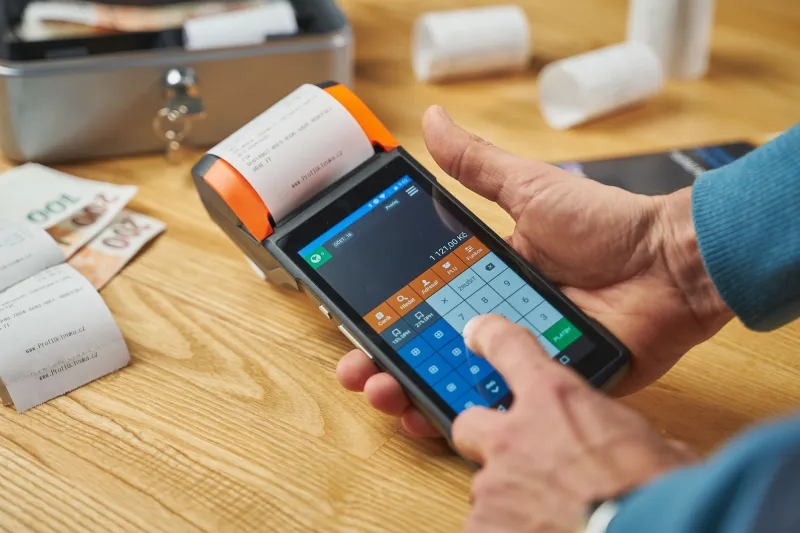
There's a moment every small business owner has experienced at least once: the receipt paper runs out mid-shift, someone grabs a replacement roll from the back, loads it up — and nothing prints right. Maybe the text comes out faded. Maybe the paper jams every third transaction. Maybe it looks fine at first but fades to nothing within a week.
Nine times out of ten, the assumption is that the printer is acting up. But the real culprit? The paper itself.
Most retailers treat receipt paper like a commodity — something interchangeable, something you just grab in bulk and forget about. That mindset is quietly costing small businesses real money, and the damage isn't always obvious until it's already done.
The Myth of Universal Compatibility
Here's the thing nobody tells you when you first set up a POS system: thermal paper is not universal. Not even close.
Thermal printers work by applying heat to a chemically treated paper surface. The specific temperature range your printer operates at has to match the sensitivity of the paper you're using. Too sensitive, and you get blotchy, over-darkened receipts. Not sensitive enough, and your prints come out light, streaky, or blank.
Most entry-level thermal printers — the kind that come bundled with popular POS systems like Square, Clover, or Toast — are calibrated for a specific paper sensitivity range. When retailers buy off-brand or generic rolls without checking those specs, they're essentially rolling the dice on whether the paper will perform correctly.
And the consequences go beyond bad-looking receipts.
What a Bad Roll Actually Does to Your Hardware
There's a reason printer manufacturers specify approved paper types, and it's not just a upsell tactic. Using paper with the wrong coating or the wrong thickness can accelerate wear on your printer's thermal print head — one of the most expensive components to replace.
Print heads are designed to make contact with paper at a very specific pressure. Paper that's too thick creates excess friction. Paper with an incompatible coating can leave residue on the head over time, gradually degrading print quality and eventually requiring a full replacement. A decent thermal print head can run anywhere from $50 to $200 or more depending on the model, and that's before you factor in labor or downtime.
For a small retailer already operating on thin margins, that's a hit that hurts.
Roll Dimensions: The Detail Everyone Overlooks
Beyond paper sensitivity, there's another layer of compatibility that trips up a surprising number of business owners: roll dimensions.
Receipt paper rolls come in a range of widths — 2.25 inches, 3.125 inches, and 3.1875 inches are among the most common in the US market. They also vary by roll diameter and core size. If your printer is designed for a 3.125-inch roll and you load a 3.1875-inch roll, you might get away with it for a while — or you might end up with paper that doesn't feed correctly, jams constantly, or tears unevenly.
This sounds like a minor thing. It isn't. Repeated paper jams during a busy lunch rush at a quick-service restaurant or a Saturday afternoon at a boutique retail shop translate directly into slower service, frustrated customers, and stressed staff. That's not a paper problem anymore — it's a customer experience problem.
POS Software Adds Another Layer of Complexity
Here's where things get a little more nuanced, especially as POS systems become more software-driven.
Modern POS platforms often include receipt customization features — logos, promotional messages, QR codes, loyalty program info. These features are designed around specific print dimensions. If your paper width doesn't match what the software expects, your receipt layout can shift, cut off important information, or print misaligned barcodes that customers can't scan.
For businesses using digital receipt integrations or loyalty program scanning, a misaligned barcode isn't just an aesthetic issue — it actively breaks a feature you're paying for. That's a real cost that never shows up on your paper invoice.
How to Actually Verify Compatibility Before You Order
The good news is that getting this right isn't complicated — it just requires a couple of extra steps that most retailers skip.
Check your printer manual or manufacturer website. Most thermal printer manufacturers publish a list of approved paper specifications, including sensitivity grade, width, roll diameter, and core size. This is your baseline. Don't order anything that doesn't match.
Look at what you're currently using. If your current paper is working well, check the label or contact your supplier for the exact specs. That's your target. When you're shopping for a better price — which, by the way, is absolutely worth doing — make sure you're comparing apples to apples on the spec sheet.
Test before you commit to a large order. If you're switching suppliers or trying a new brand, order a small quantity first. Run it through your normal workflow for a few days before buying in bulk. This is especially important if you're running high-volume transactions where paper performance really gets stress-tested.
Ask your POS provider. This is an underused resource. If you're using a managed POS system, the support team can often tell you exactly what paper specs are recommended for your setup. A five-minute call can save you from a $200 mistake.
The Bulk Buying Trap Revisited
One reason compatibility problems get so expensive is that most small businesses buy receipt paper in bulk to save money — which is a smart instinct in general. But when you lock in a large order of incompatible paper, you're now sitting on a significant amount of inventory you can't use without risking your hardware.
Some of it might get used anyway, because throwing away supplies feels wasteful. That's understandable, but using paper you know is causing problems because you already paid for it is exactly how a small cost-cutting decision turns into a larger repair bill down the road.
The smarter play is to nail down your compatibility specs first, then buy in bulk from a supplier that offers those exact specs at a competitive price. That's how you actually save money — not by grabbing whatever's cheapest without checking the details.
Bottom Line
Receipt paper might feel like the least exciting part of running a business, but it's one of those operational details where getting it wrong has a surprisingly long tail of consequences. Faded receipts, jammed printers, worn print heads, broken POS features — all of it can trace back to a roll that looked fine on the shelf but wasn't actually right for your setup.
Know your specs. Test before you bulk up. And when you find a supplier that gets the details right at a price that makes sense, that's genuinely worth holding onto.